Address
304 North Cardinal St.
Dorchester Center, MA 02124
Work Hours
Monday to Friday: 7AM - 7PM
Weekend: 10AM - 5PM
Address
304 North Cardinal St.
Dorchester Center, MA 02124
Work Hours
Monday to Friday: 7AM - 7PM
Weekend: 10AM - 5PM
Smarter Resumes. Better Jobs.
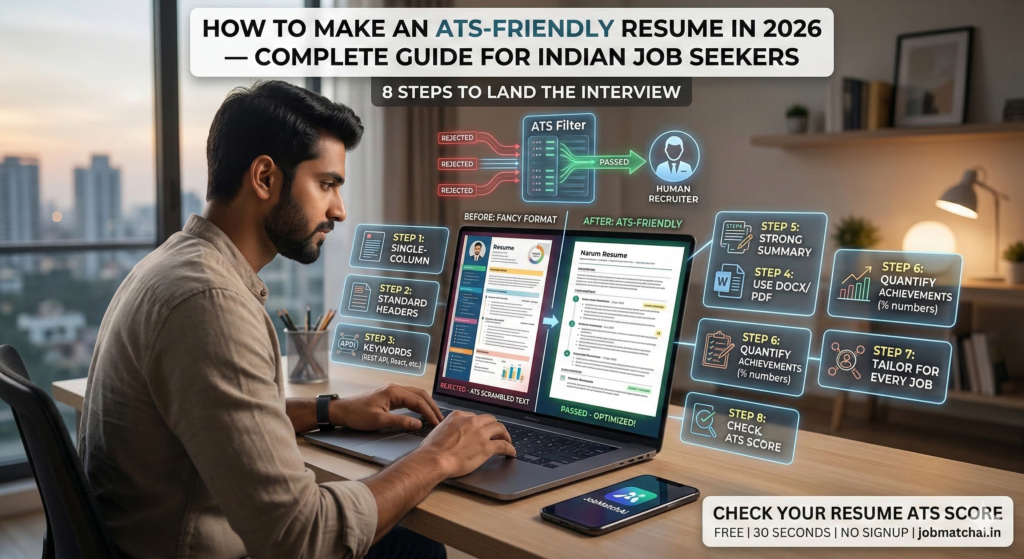
🚫 Not Getting Interview Calls?
You have the skills.
You have the experience.
But still… no interview calls?
👉 The truth is simple:
The problem is not you — it’s your resume format.
In 2026, an ATS-friendly resume is no longer optional.
It is the bare minimum requirement to even get noticed.
This guide will show you exactly how to create a resume that passes ATS systems and reaches real recruiters.
An ATS-friendly resume is:
✔ Clean and simple in format
✔ Rich in relevant keywords
✔ Structured with standard section headings
✔ Saved in the correct file format
✔ Tailored for each job application
Using fancy templates with:
👉 Problem: ATS systems cannot properly read these formats.
💡 Golden Rule:
If a human finds it simple, ATS will too.
ATS systems scan for specific keywords in headings.
💡 Important:
Fancy headings = Lower ATS score
👉 Keywords = The #1 ranking factor in ATS
💡 Pro Tip:
Match the exact wording from the job description.
💡 Safe Choice:
Always submit in DOCX if unsure.
This is the first section ATS reads.
“Hardworking professional seeking growth opportunities…”
“Software Engineer with 3 years of experience in React, Node.js, and AWS. Built scalable REST APIs serving 100K+ users. Experienced in agile development and CI/CD pipelines.”
💡 Formula:
Role + Experience + Skills + Achievements
Numbers = Impact.
“Improved website performance”
“Improved website load time by 40%, reducing bounce rate from 65% to 38%”
“Managed a team”
“Led a team of 8 engineers to deliver 3 products in 6 months”
💡 Rule:
Always show results with numbers.
👉 One resume does NOT fit all jobs.
📈 Impact:
This alone can increase your ATS score by 30–40 points
Before you hit apply — test your resume first.
✔ ATS score out of 100
✔ Missing keywords
✔ Formatting issues
✔ Improvement suggestions
⚡ All in under 30 seconds
